For agencies and property dealers
Match every listing to the buyers it suits
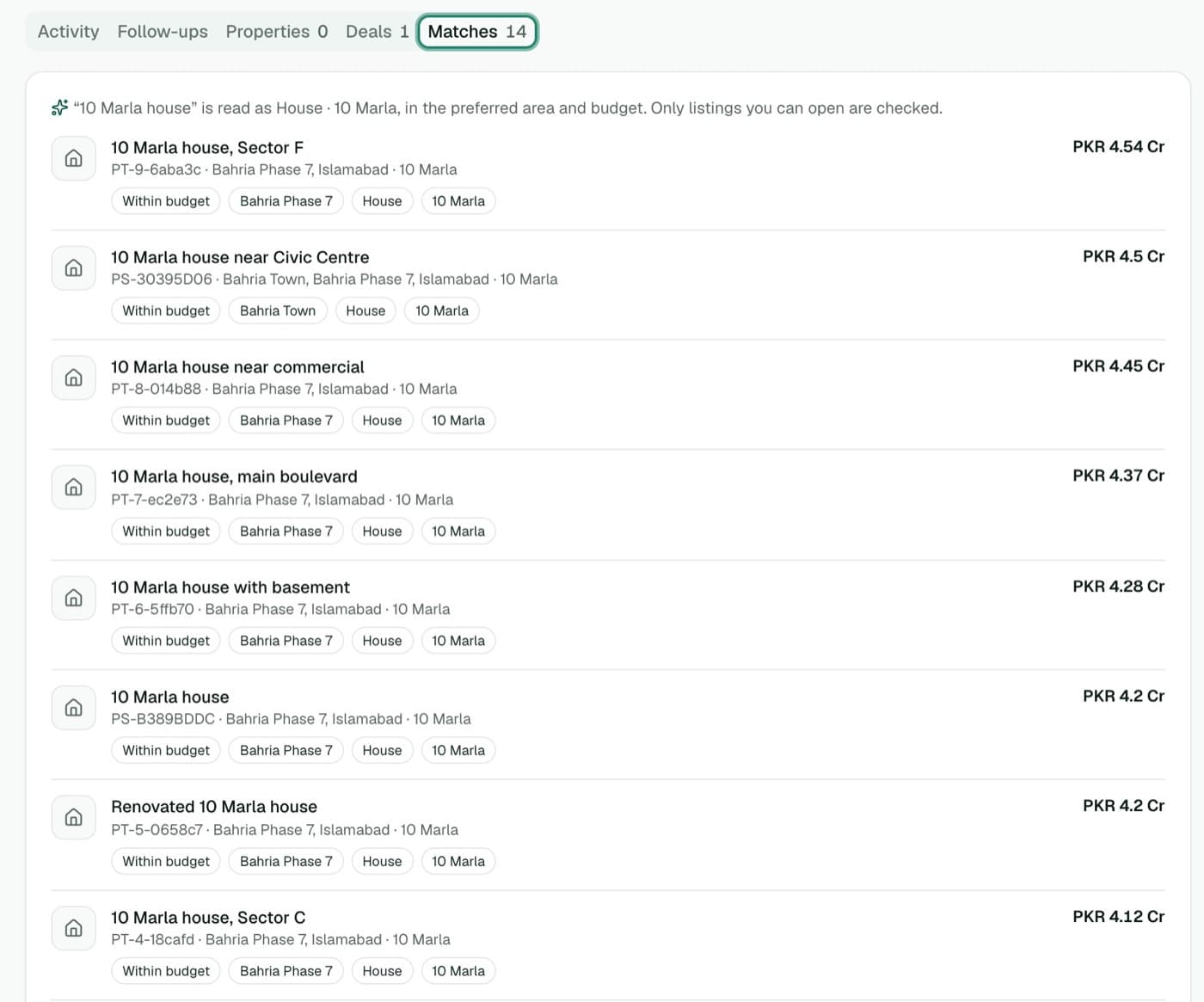
When you add a listing, PropStackly lists the open leads it suits, by purpose, budget, area, and, when the lead mentions them, type, size, and bedrooms. Every match shows its reasons, and the listing's agent is told how many there are.
What it does
Buyer matching in PropStackly
Plain, explainable rules
No black box: each match says within budget, the area, the size, or over budget by how much.
Reads how people ask
Understands requests such as "ghar", "dukan", or "gaz" alongside house, shop, and square yards.
Both directions
A Matches tab on each lead and a Buyers tab on each listing.
Within your reach
Agents match their own leads against their own listings; nothing crosses into colleagues' records.
How it works
Three steps
- 01
Add a listing as usual
- 02
See the open leads it suits
- 03
Call the best matches first
Questions
About buyer matching
Does buyer matching use AI?
No. It uses plain, published rules about purpose, budget, area, type, size, and bedrooms, so every match can be explained.
How far over budget can a match be?
Up to 10 percent over the top of the lead's budget, marked as over budget, and not under 70 percent of the bottom.
Related
Works with
- Lead managementCapture leads from Zameen.com, Graana, Facebook, WhatsApp, and walk-ins, assign them to agents, and never miss a follow-up. Built for Pakistani agencies.Learn more
- Property listingsManage sale and rental listings with prices in Crore and Lakh, areas in Marla and Kanal, owners, photos, and inquiries, in one shared inventory.Learn more
- Price trendsSee median asking and sold prices per Marla by society, month by month, from your agency's own listings and closed sales. Price new listings with confidence.Learn more
Try buyer matching with your own agency
72 hours free for your whole team. No card required.